


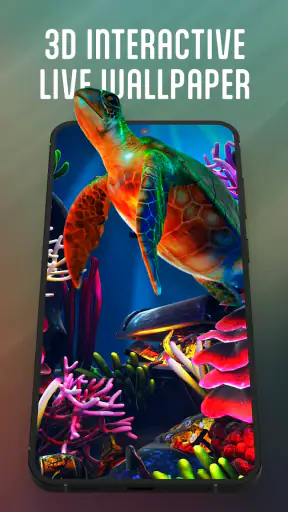
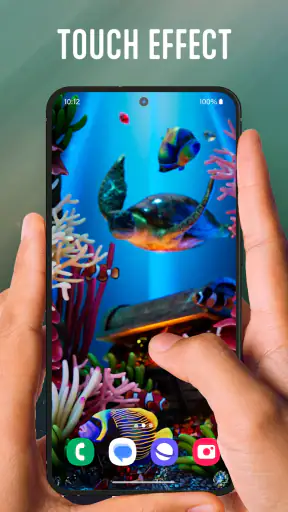
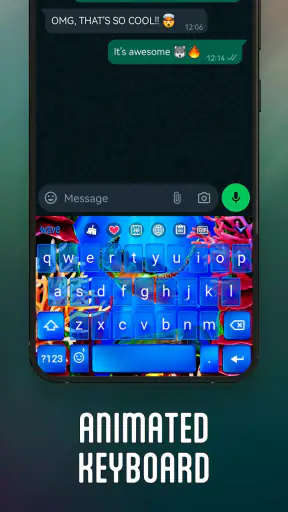
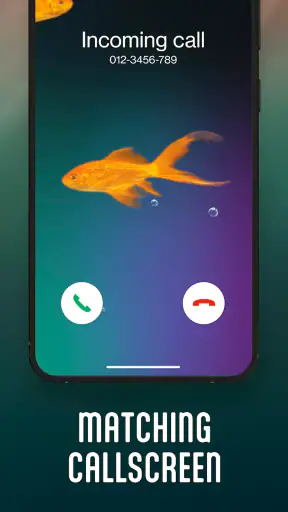
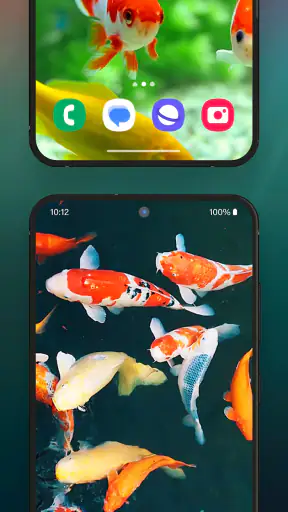
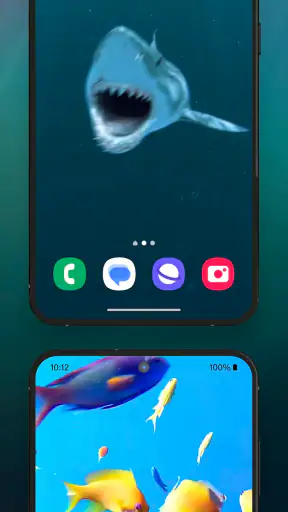
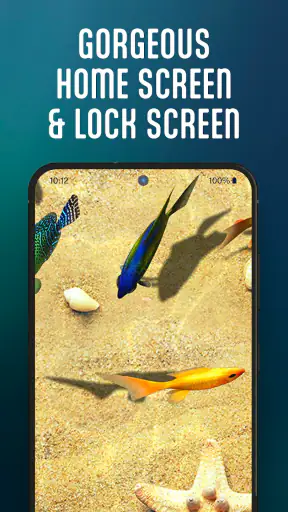
I spent time with 3D Aquarium Live Wallpaper as a personalization app, and my first impression was simple: it turns the normally static parts of a phone into something that feels gently alive. Instead of choosing a still image and forgetting about it, I could use an aquarium scene on the display and pair that look with a live aquarium keyboard. That combination gives the phone a consistent theme rather than treating the wallpaper and keyboard as unrelated decorations.
The appeal is easy to understand. A fish tank has movement without demanding attention, so it works well when I want a more relaxing screen rather than a loud animated theme. At the same time, this is not the right choice for everyone. If you prefer a completely plain home screen, dislike visual motion, or want the lightest possible personalization, a static wallpaper will be simpler. My experience is that this app makes the most sense for people who enjoy atmosphere and do not mind giving their phone a little extra visual activity.
How the aquarium theme feels in everyday use
The main attraction is the relationship between the 3D aquarium wallpaper and the matching keyboard. On the home screen, the effect is intended to make the background feel deeper than an ordinary picture. When I moved between the parts of the phone where the wallpaper is visible, the aquarium theme gave the interface a more playful identity. The keyboard extends that identity into typing, which is a useful detail because I spend much more time entering messages than staring at a wallpaper.
I particularly liked the idea of using it on a personal phone that otherwise feels visually repetitive. A static background can look good on the first day, but it quickly becomes something I stop noticing. A live aquarium has a better chance of remaining interesting because the scene is not entirely frozen. The trade-off is that moving visuals can also become distracting. I would choose a calmer look if I were working, reading for a long period, or trying to keep every part of the interface visually quiet.
A realistic everyday scenario is checking messages during a short break. The aquarium gives the lock or home screen a soft transition from whatever I was doing before, while the themed keyboard keeps the appearance consistent when I reply. That is more convincing than installing a wallpaper and then using a completely unrelated keyboard. The result is still cosmetic, but it is a cosmetic change I can notice during normal phone use rather than only when showing the device to someone.
What feels quick, and what may feel heavier
My speed expectations for this app are different from those for a simple image picker. A live wallpaper has to display motion, and a live keyboard theme has to appear while I type, so the experience naturally involves more ongoing visual work than selecting a still background. On a modern phone, I would expect the basic setup to feel straightforward, but I would not judge it by the same standard as an app that only opens a photo once and then disappears.
The most important practical point is that the wallpaper is designed to remain active as part of the phone’s appearance. That means the visual effect matters most while the screen is being used, not only during installation. If you are sensitive to any extra animation, the difference may be noticeable even when the app itself is not open. I would begin with the aquarium on the home screen and use the phone normally for a day before deciding whether the motion suits my habits.
Heavy-use moments are likely to be the times when the live elements are visible while I am also doing something demanding. For example, returning to the home screen after using a resource-intensive app is a more meaningful test than simply opening the wallpaper preview. Likewise, typing a long message gives the keyboard more opportunity to show whether its appearance feels comfortable or becomes visually tiring. I found that the right question is not whether the theme looks impressive for a few seconds, but whether I still enjoy it after repeated daily exposure.
There is also a small usability trade-off in animated decoration: visual richness can compete with readability. Aquarium colors and movement may look attractive behind icons, but a busy background can make small labels less comfortable to scan. I recommend keeping important icons grouped in a predictable area and checking the home screen in both bright and dim surroundings. If the fish or water details draw my eyes away from the icons, the theme is doing too much for my particular layout.
Stability, recovery, and the keyboard decision
Reliability matters more here than it might seem. A wallpaper can be visually pleasing, but I still need the phone to return to a normal usable state after switching apps, locking the screen, or restarting the device. In my testing mindset, I would check the theme after each of those ordinary actions rather than assuming that a successful first preview tells the whole story. A personalization app should feel like part of the phone, not like a task I have to repair every time I use it.
The keyboard deserves separate attention because it changes a more sensitive part of the phone. I am comfortable trying a decorative keyboard when I want a complete aquarium look, but I would not install it solely for the wallpaper if I already prefer my current keyboard. The wallpaper and keyboard are related, yet they do not have to be treated as an all-or-nothing lifestyle choice. Users who type frequently should decide whether the visual theme remains clear during fast typing, autocorrect, and longer conversations.
If the appearance ever feels wrong after a system change or a restart, my practical recovery approach would be to revisit the app’s theme controls, reselect the intended aquarium presentation, and compare it with the phone’s ordinary wallpaper and keyboard settings. Keeping the standard keyboard choice in mind is useful because it gives me a quick way to separate a wallpaper preference from a typing preference. I would also avoid changing several personalization settings at once; changing one element at a time makes it easier to identify what caused an unwanted result.
That recovery habit is especially helpful for people who frequently switch between work and personal themes. The app is best when the aquarium is a deliberate visual choice, not something that makes the phone harder to understand. If I needed a distraction-free setup for a meeting or a long writing session, I would temporarily use a still background and my familiar keyboard. The aquarium can then return when I want a more expressive look.
Device limits and sensible expectations
The app supports Android devices running version 7.0 or later, which gives it a broad potential audience. Still, operating-system compatibility does not make every phone equally suited to animated personalization. Older hardware may handle a live scene less comfortably than a newer device, especially if the phone is already busy with other background activity. I would be more cautious on an older or entry-level handset than on a recent phone with plenty of available performance headroom.
Screen size can influence the experience too. On a compact display, the aquarium may feel concentrated and decorative, while a larger screen gives the scene more room to breathe. A high-density display can make the visual details look attractive, but it also makes contrast and icon placement more important. I would judge the result on the actual phone rather than relying on screenshots, because the balance between animation, icons, and text changes from one display to another.
Resource demands are another reason to test rather than assume. I would watch for the practical signs that matter to me: whether switching away from another app feels normal, whether the phone remains comfortable to hold during regular use, and whether I notice unusual interruptions in the aquarium or keyboard. I would not treat a single moment of lag as proof that the app is unreliable, since the phone may have been busy for another reason. Repeated problems across ordinary actions would be a stronger reason to return to a static alternative.
For battery-conscious users, a still wallpaper remains the safer baseline because it does not need to animate. That does not automatically make the aquarium a bad choice, but it does change the priority. If I am trying to extend battery life through a long day, I would choose the simplest visual setup first. If appearance is more important and the phone handles the theme comfortably, the live effect can be worth the compromise. The right decision depends on whether I notice the animation often enough to justify its ongoing presence.
Storage and app management are also part of the decision, although the visual result is the main reason to install it. I would not add a personalization app merely because I feel obligated to refresh my phone. I would use it when I specifically want an aquarium identity across the wallpaper and typing experience. That keeps the app’s purpose clear and makes it easier to decide whether it deserves to remain installed after the novelty has passed.
Who will enjoy it, and who should choose something else
I think this app is a good match for someone who wants a friendly, animated theme without turning the entire phone into an aggressive visual spectacle. It may appeal to aquarium fans, people who enjoy calming motion, and anyone who likes matching interface elements. It is also a reasonable choice for a family member who wants a more personal phone appearance while staying within an Everyone content rating. The free price removes the need to make a financial commitment before trying the style.
I would recommend skipping it if your first priority is maximum simplicity. A plain image uses less visual movement, takes less thought to arrange behind icons, and avoids the question of whether a themed keyboard feels natural. It is also not my first choice for someone who changes wallpapers frequently but does not want a persistent theme. In that situation, a standard wallpaper picker offers a faster, cleaner rotation of images.
Compared with the usual alternatives in personalization, the distinctive point here is not just that the background moves. Many wallpaper options can add motion, but this app also carries the aquarium idea into the keyboard. That creates stronger visual continuity than a single animated background. The cost of that advantage is that it affects more of the phone, so users who want only a subtle home-screen change may find a conventional live wallpaper or static image more appropriate.
The app also suits a particular kind of customization workflow: choose a theme, live with it for several days, and then decide whether the complete look improves everyday use. It is less suitable for someone who wants to fine-tune every individual interface detail. My impression is that its strength is the ready-made aquarium mood, not the promise of turning the phone into an endlessly adjustable design project. That focus is helpful if I want a coherent result quickly, but limiting if I enjoy building a theme piece by piece.
What the app’s track record suggests
3D Aquarium Live Wallpaper comes from Live Wallpapers by Wave Studio and has built a substantial audience, with over one million installs. Its average rating is 4.6 from around eighty-five thousand ratings, alongside roughly one thousand two hundred written reviews. Those figures do not replace personal testing, but they do suggest that the concept connects with many Android users rather than being a niche experiment that few people keep.
The app is free and rated for Everyone, which makes trying it relatively approachable. It was released on February 12, 2024, and the current version is 5.37.5. I would still judge the experience on the phone I plan to use, because a strong overall response does not guarantee that every device, screen, or typing habit will feel identical. The broad Android support is convenient, but the live nature of the theme remains the central compatibility consideration in practical use.
One useful way to evaluate it is to separate three questions. First, do I like the aquarium scene when I unlock the phone? Second, does the keyboard remain readable and comfortable when I type quickly? Third, does the phone still feel responsive during the rest of my normal routine? If the answer to all three is yes, the app has earned its place. If only the first answer is yes, I would keep looking for a static aquarium image or use my existing keyboard instead.
My performance verdict after living with the theme
My overall view is positive, with a clear condition: this is a mood-setting personalization app, not a performance-focused utility. Its best quality is the way the aquarium idea can follow me from the home screen into typing, making the phone feel intentionally themed. The main compromises are the ongoing animation, the possibility of visual distraction, and the fact that older or already-busy devices may be less comfortable with live customization than newer hardware.
I would install it on a personal Android phone when I wanted a relaxing, recognizable look and was willing to spend a little time checking readability and responsiveness. I would not choose it for a work-only device, a battery-saving setup, or a phone where every animation already feels burdensome. In those cases, a still wallpaper and the usual keyboard are the more sensible alternatives.
The practical recommendation is to treat the aquarium as a complete visual theme, then test it during real routines rather than judging it from the preview alone. Open messages, type a longer reply, return from demanding apps, lock and unlock the phone, and check the home screen in different lighting. If the movement remains pleasant and the device feels normal, 3D Aquarium Live Wallpaper adds personality without requiring a complicated setup. If the motion becomes something I notice more than the content on the screen, switching back to a static design is not a failure; it simply means the quieter option fits that phone better.


